Your Go-To Handbook for Freelance Productivity & Growth
If you’re reading this I’m guessing you have a bit of a love/hate relationship with freelancer productivity right now.
I get it.
Working from home, building a solo business and balancing your family life all under one roof is a major challenge and it can be the downfall of many new freelancers.
How can you be productive with the dog barking, kids fighting in the next room and 1000 other interruptions?
Sound familiar?
Then you definitely need to keep reading!
In this ultimate guide to freelancing productivity we’re going to answer all of these questions and more.
Believe me I’ve been exactly where you are now.
When I first started freelancing from my backyard (In the summer of course!) I had to battle my friendly neighbors, kids in the pool and countless other distractions.
It wasn’t much better when I switched to my office in the garage for the winter months.
The freedom associated with the freelance lifestyle is a double edged sword.
Working in your PJ’s sounds great, but if you don’t get a handle on your productivity you won’t be getting a lot of work done.
You are the CEO of this home business, so it’s on you to figure out how to get tasks done, despite all the distractions.
That’s why getting a grip on productivity isn’t just a nice idea, it’s the single most important key to your freelance success.
If I told you that your level of productivity would account for almost 100% of the money you earn from home would that get your attention?
Thought so.
We’re all familiar with some variation of the catchphrase “work smarter, not harder,” but what does that actually look like?
If you’re ready to find out let’s get started with the foundations of productivity.
Freelance Productivity Foundations
Ask anyone that works from home in any capacity what their single biggest hurdle is and you’ll get the same answer 9 times out of 10.
Focus.
It doesn’t matter if you’re talking to a freelancer, remote worker, of home business owner. They’ll all tell you how hard it is to focus in a home based work environment.
Time isn’t your enemy, it’s staying on task, creating daily plans, and maintaining clarity that raises the biggest obstacles in your day.
I’ve found these 3 foundational concepts can help with all of the above:
- SMART Objectives
- Deep Work
- Parkinson’s Law
Let’s take a close look at each one.
The SMART Way to Set Profitable Goals
I remember my first year as a freelancer. Boy, talk about disorganized!
There was no plan to my day, no structure.
I was just applying to everything I could and when I did land a freelance writing job? Well, I just started writing.
I had:
- No timetable.
- No structure.
- No content outlines.
Nothing.
Fast forward to 1 year in and I discovered the SMART framework.
Talk about life changing!
How to Stay Productive Freelancing from Home With SMART Objectives
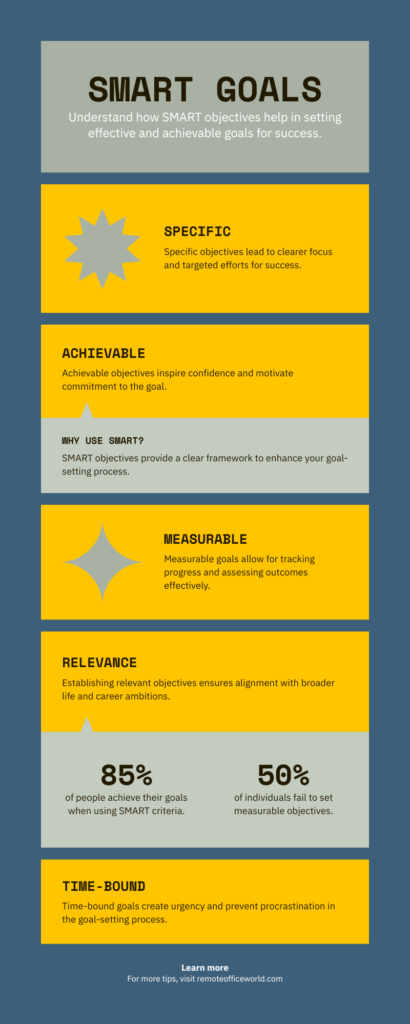
If you don’t have clear goals and those targets aren’t backed by any sound reasoning long term success is impossible.
SMART stands for Specific, Measurable, Attainable, Relevant, and Time-bound.
If you look at every goal using this framework you’ll make better choices and you’ll have written goals you can use to keep on track.
In fact, there’s tons of research that shows that people that write down their goals are much more likely to achieve them.
That’s right, by looking at each potential goal under the lens of the SMART system, you’re already ahead of 90% of your competition!
And remember this key point, once you decide to move forward with a goal, break it down to a set of tasks to make it more manageable.
Each task should be achievable in one day.
That way you’ll always feel like you’re making progress every day and that helps you build momentum.
It creates a positive mindset shift and a sense of achievement that makes it easier to keep going.
You’ll also find it better for planning and it will allow you to be more flexible when the unexpected happens.
Believe me. It WILL happen!
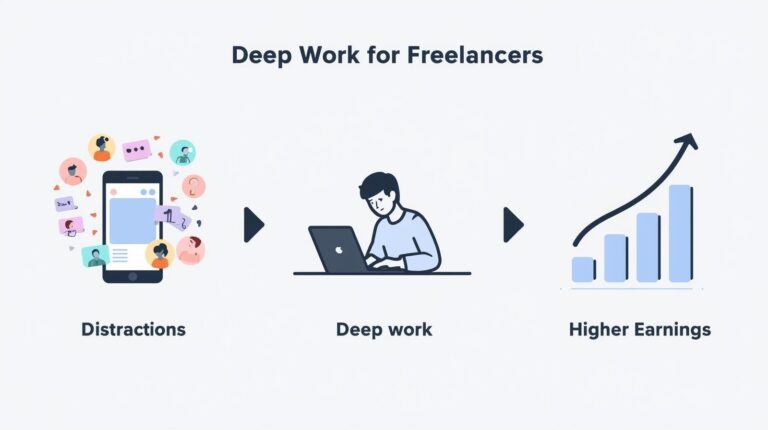
How Deep Work Keeps Freelancers Productive
Deep work. It sounds so mysterious right?
Like something from a James Bond movie or some top secret government project.
Well it’s not quite as exciting as that, but it can be a powerful tool in the freelancers productivity tool box.
In his book Deep Work: Rules for Focused Success in a Distracted World, Cal Newport describes deep work as focusing without distraction on a cognitively demanding task for an extended period of time.
Sounds tough right?
It can be!
There are distractions everywhere when you’re working from home.
Incoming emails, phone reminders, social media calling your name, not to mention that loving family lurking in the background!
You’re a great multitasker you say?
There’s no such thing!
The human mind can only focus on one task at a time.
Not trying to burst anyone’s bubble here, but this is one fact we can’t escape.
Every time we jump between tasks, we are actually splitting our attention from what we were doing previously.
This:
- Disrupts our thought process
- Stops our concentration cold
- Slows momentum
Frequently switching between tasks is easily one of the biggest killers of freelance productivity.
When we choose to adopt the Deep Work model, we make a conscious decision not to split our time between tasks.
We set the clock, and work on one important piece of work for that entire allotted time frame. That’s how you move the needle.
Parkinson’s Law and Time management for Freelancers
Why is it important to set a clock for each task? Even Deep Work?
Well that brings us to a little rule known as Parkinson’s Law.
In a nutshell, it states that work has a tendency to expand so that it fills the time that’s been made available for its completion.
Give yourself an hour to complete a task that really could be done in half that time, it will take the full hour, because we allow ourselves to become distracted along the way.
If you’re going to break through Parkinson’s Law, you have to be more accurate with assessing how much time each task takes.
Challenge yourself.
If you think a task will take an hour, give yourself 45 minutes. You’ll be surprised how often you complete the task on time!
You’ll also find you can focus more intently on each task.
Time to Get Practical — Proven Time Management Systems
So far we’ve just touched upon the idea of systems as tools for improving your productivity as a freelancer, but really they should be at the core of your daily and weekly planning.
How do you make every minute count?
Well, as it turns out there are some time tested systems that are key to your success in the freelance world.
In this next section, we’ll take a close look at 6 time management systems that can improve your freelance productivity:
- The Pomodoro Technique
- Eating The Frog
- Time Blocking
- Day Theming
- The Rule of Three
- 2-Minute Rule
Each one of these techniques can be highly effective on their own or as part of an overall strategy.
Pomodoro 2.0 — With Customized Timed Sessions
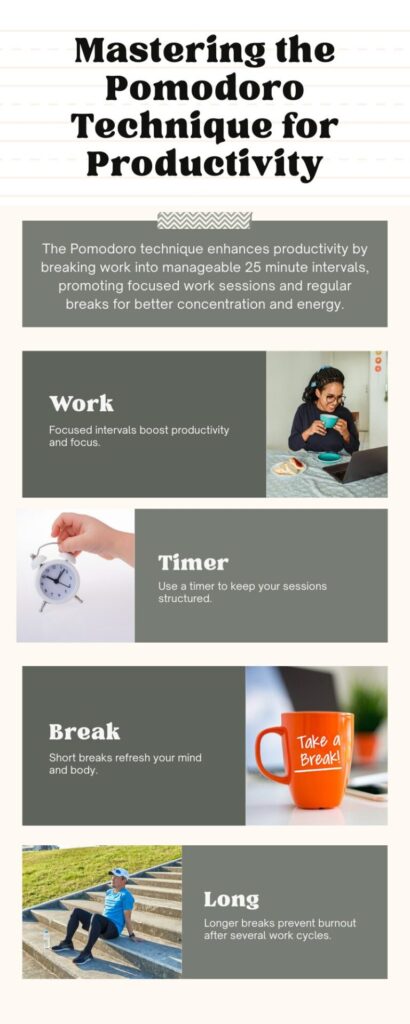
The Pomodoro technique has been around for a while.
Back in the late 80’s an Italian student by the name of Francesco Cirillo was struggling with focus.
I get it.
My university days were full of distractions!
He came up with a unique way of dealing with it.
He took a tomato shaped kitchen timer (Pomodoro in Italian) and set it for 10 minutes of deep, focused work.
Guess what? It worked!
The only problem was, he found 10 minutes wasn’t quite enough time to accomplish most tasks. He eventually settled on 25 minute timed sessions, followed by a 5 to 10 minute break.
That’s what we now know today as the Pomodoro technique.
After you repeat this four times, then you take a longer 15 to 30 minute break.
Countless freelancers have used this method with a high degree of success.
So why did I mention Pomodoro 2.0 in the title of this section?
Great question!
Let me explain.
Freelancer Productivity Tip: Customize your Pomodoro sessions
I’m a strong believer in customizing your Pomodoro sessions to suit your own goals.
Personally, I find 25 minutes a little too short for my working style.
I’ve modified my Pomodoro tasks to 40 minute sessions with 10 to 15 minute breaks after each one and a 30 to 45 minute break after four sessions.
Basically, Pomodoro 2.0 means adding a bit of flexibility to the system to fit how you like to work.
Freelancer Productivity Tip: I find noise cancelling earbuds really help as well!
Start Your Day By Eating The Frog
If you think that eating a frog sounds like a bad idea, you’re not alone.
I tried frog legs on a trip to Quebec in my early teens and I wouldn’t recommend it!
Don’t believe anyone that tells you it tastes like chicken!
Fortunately, we’re not talking about eating a literal frog here.
Phew!
Instead, it’s a classic technique, developed by Brian Tracy, that encourages us to take on our most challenging task at the beginning of each day.
He borrowed the original idea from Mark Twain, who once said something along the lines of “If it’s your job to eat a frog, it’s best to do it first thing in the morning.”
Whether Twain really said that or not is up for debate, but it doesn’t change the fact that it’s sound advice.
Don’t procrastinate.
If you have a hard task that can have a huge positive impact on your success do it first thing in the morning.
That’s when you’re at your freshest and there are fewer distractions to get in your way.
Eat that frog no matter how much you’re dreading it!
The rest of the day will seem like a breeze after that.
Time Blocking Your Day
Some people like to take the Pomodoro technique a bit further by defining specific blocks of time for each task.
For example, they might dedicate 30 minutes each week day at 9AM for email, followed by 2 hours of deep focused work, 1 hour for lunch, followed by an hour for goal planning, and then an hour for client meetings or communications.
They keep their day structured into these time blocks every day. That way they stay on track and avoid unnecessary distractions.
The problem with this set up is it feels a little rigid to some (Guilty as charged!).
I prefer a slight modification on this setup. Something called Day Theming.
Day Theming for Freelancers
I divide my week up differently each day, but there are common themes week to week.
Monday is for certain types of tasks, Tuesday looks a little different and so on. This is what’s referred to as Day Theming.
For example:
- Monday might be for admin and planning work
- Tuesday for deep focused client work
- Wednesday for meetings
- Thursday for content creation and social media marketing
- Friday for miscellaneous tasks adjusted from week to week.
This kind of schedule allows for productive, focused work, but it also allows for greater variety from day to day.
There’s no one right way of dividing your week. Time blocking works for some, day theming works for others.
I recommend trying both methods before deciding which one works for you.
The Rule of Three — Defining Clear Goals
The Rule of Three can apply to your day and your week.
Personally, I use both.
Every week on Sunday I ask myself one question — what are the three biggest goals I want to accomplish in the upcoming week?
These are what I feel I absolutely must accomplish if I’m going to be able to consider my week a success.
That’s the essential concept behind the Rule of Three.
Then, after each day I reevaluate.
Are my three biggest goals still the same or do I need to pivot?
This allows me to be more flexible and adjust my week to the realities in front of me.
Freelancer Productivity Tip:
I find many freelancers get bogged down in making their systems too rigid, which actually makes them less productive.
Adding that flexibility into your system keeps your productivity on track.
The 2-Minute Rule
Another common technique that deserves some mention is the 2-Minute Rule.
The idea here is to get simple tasks out of the way quickly.
If you can do something in less than 2 minutes, do it right away:
- Tackle those simple emails
- Schedule those calls
- Organize those files.
That way these simple tasks won’t build up over time.
Personally, I don’t use this method a lot in my daily routine, as I find it can conflict with the whole idea of time blocking and the Pomodoro Technique, but it may work well for you.
Organizing With Tools, Tech, Automation and AI
It would be great if there was one master tool that did everything for you in terms of productivity, but really, where’s the fun in that?
Seriously though, you can develop a great tech stack, using a few tools that work well together to develop structure and focus in your day so that you’re more productive and get paid more!
These fall under 6 main categories:
- Planning and Task Management
- Time Tracking
- Assigning Priority Levels
- Communication
- Finance
- Automation
Planning and Task Management
There’s a reason we’re starting with planning and task management. These are like your nerve center for organization and productivity.
Everything runs through these apps.
I can’t walk you through every app in this category. There are just too many of them to fit in one article.
Instead I’ve included some of the most popular and most innovative in this category.
Notion — Your All-in-One Hub
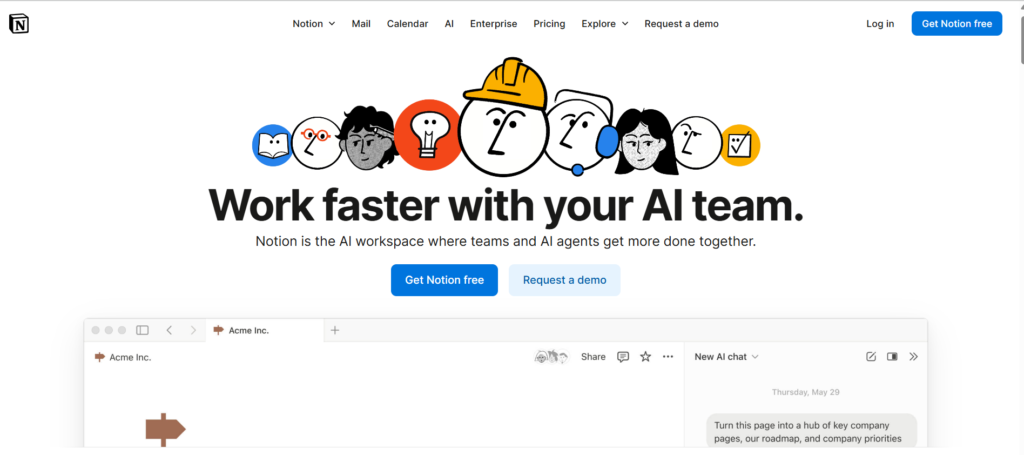
If you want to be a productive freelancer, Notion has to be on your radar.
This popular app is:
- Flexible
- User friendly
- Built with growth in mind.
You can create custom dashboards, manage all of your notes in one place, build databases of customers, and develop a comprehensive content calendar.
All in one place.
You can start for free and explore paid options if you ever decide to expand your team beyond your current solo venture.
Trello — Your Visual Tracker
Some people do better with visuals.
I count myself in that crowd.
If you’re like me, then you might find Trello a better option than Notion.
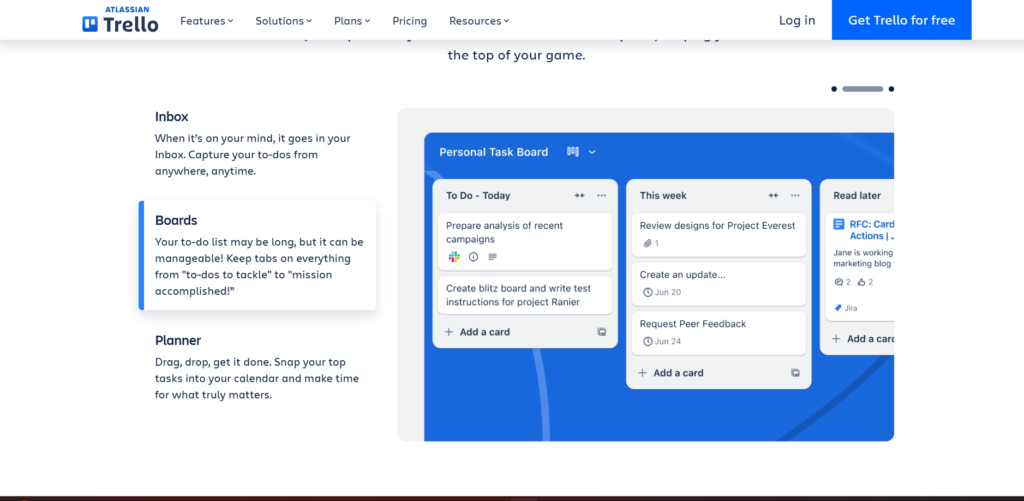
It uses a system of Kanban boards, or visual project management tools that make it easier to visualize work tasks.
With Trello, you use a set of different columns to organize your workflow.
Each column represents a different stage and as you complete a task in a workflow you move the card that represents it into the next column in your workflow.
These columns have headings such as:
- “To Do”
- “In Progress”
- “Done”
You can quickly see at a glance what progress you’ve made in a project and where you need to place more focus.
Asana for Structured Management
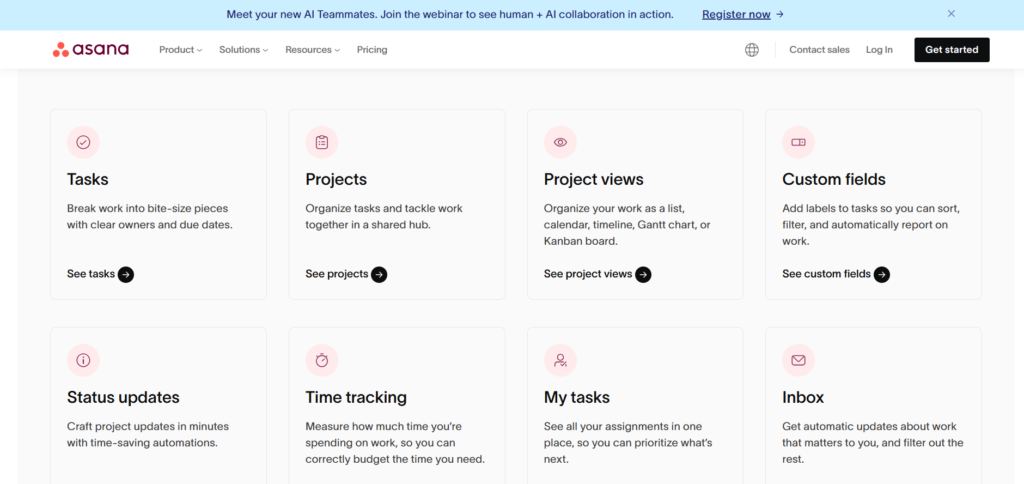
If you like structure and proven systems then Asana is the planning and task management app for you.
It allows you to manage complex projects with automations and a built-in reporting structure.
It’s also ideal for team collaboration, so if you work closely with other freelancers, you should give Asana strong consideration.
It is an app with a lot of different parts though, so for new freelancers it might be one to avoid out of the gate.
Steven Puri’s Sukha App
A relative newcomer to the productivity space is the Sukha app developed by Steven Puri.
At its core, the app is designed to help streamline daily planning, help with deep focus, and increase personal productivity, using ideas such as structured reflection and techniques for prioritization.
Reflection is the key here.
We often get so wrapped up in our daily tasks, that we lose track of the big picture.
Sukha helps you keep on top of your overall goals while still making daily progress.
I had the good fortune to interview Steven on my podcast The Freelance Insider Show. You can check out the episode here for a more in depth exploration of the Sukha app.
Improve Freelancing Productivity With Time Tracking
One thing many freelancers do poorly is keeping track of their time.
When I first started freelancing I avoided hourly projects like the plague, because I didn’t want the hassle of having to keep track of my time.
It just felt too much like work!
I wanted to start freelancing because I hated the structure in the corporate world, and hourly work felt like just the same old song and dance.
When I started dabbling in audiobook narration a few years ago, I learned the true value of time tracking.
If you don’t keep proper track of your time with voice gigs, a seemingly well paying job can actually result in hours of unpaid work!
Even if you think you’ll always stick to project based instead of hourly based work, keeping track of your time has a ton of value.
It’s not just about billing clients correctly. It’s about optimizing your overall productivity.
There are many apps out there, but simple apps like Toggl Track and Clockify are two of the better options.
They help you monitor exactly where your time goes and can even generate reports for you.
TMetric is another great option.
It will actually ask you periodically what you’re doing. This is a great way to keep you honest and on track with your daily goals!
At the very least, consider setting a timer on your phone if you’re time blocking or using the Pomodoro technique. That alone can help to keep you on task.
Assigning Priorities and Maintaining Structure
Even if you’re great at staying on task, it’s still a good idea to have a system in place to assign priorities and develop a structured approach to how you tackle them.
One of the most popular traditional methods for setting priorities is the use of the Eisenhower Matrix.
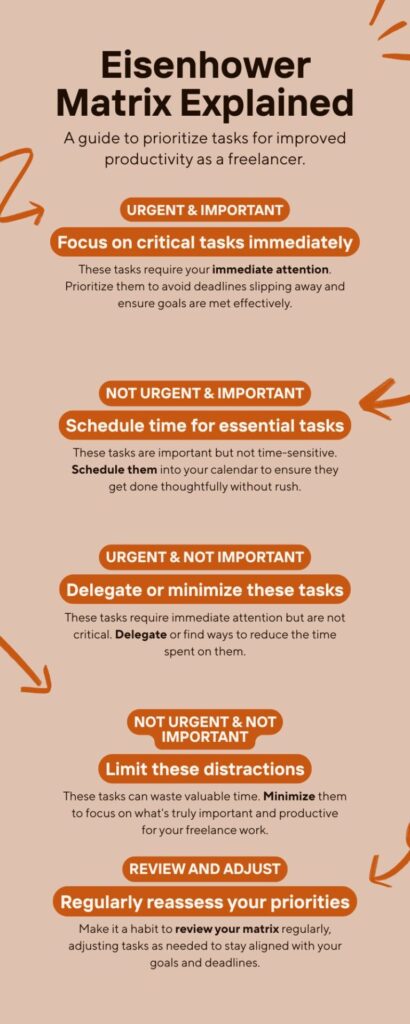
You simply divide your tasks up into four quadrants that determine how urgent and important each task is.
If it’s urgent and important, you do those tasks first. If it’s unimportant and not so urgent, you’re probably best to ignore those tasks all together.
Today, these traditional methods are slowly being replaced by AI. Examples include Notion AI and ClickUp Brain.
These allow you to ask the AI model to pick say 3 tasks, based on your prompts, that will move the needle most in your business.
You can sequence these priority tasks into time blocks for completion.
Communication, Finance, and Automation
Our last three categories in our tech stack are:
- Communication
- Finance
- Automation.
Because these three categories are pretty straightforward we’ll group them together.
Some great examples of communication tools that can help freelancers stay productive include Slack, Whatsapp, Discord, and Zoom.
Which one you consider better usually comes down to personal preference and the nature of your freelance work.
Personally, I’ve used all of these at different stages of my freelance career.
Slack is great for organizing messages across clients and Whatsapp is perfect for quickly sharing ideas and collaboration.
If you’re working with larger groups, I find Discord has a lot of advantages.
Of course Zoom is ideal for those virtual meetings.
For finance there are two great options for freelancers I would recommend.
First off is Wave, mostly because it’s free and allows you to tackle invoicing and accounting pretty easily.
For more advanced needs QuickBooks is the better option, with intuitive tools for keeping track of payments and expenses.
Lastly, let’s talk about automation.
Gone are the days when you had to do everything manually, one boring task at a time!
Automation tools such as Zapier, Make.com, and IFTTT make it much easier to automate tasks such as Newsletter distribution, email reminders, social media posts, and even generating invoices.
They can save you a ton of time each week and boost your productivity to new levels.
Developing a Strategic Approach to Productivity as a Freelancer
Being productive as a freelancer isn’t just about choosing the right tools and developing a structured approach to your week.
It’s also about being strategic with your business.
Next we’ll dive into some techniques and principles that can help with this.
Building Profitability With The 80/20 Rule
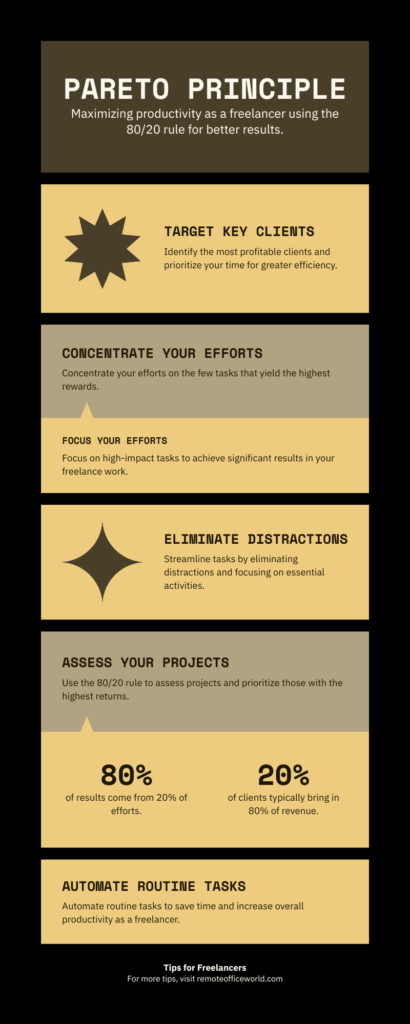
The 80/20 Rule, also known as the Pareto Principle, is a simple system to help you determine what activities truly matter for your freelance business.
What does it say?
Simply, that 80% of your results will come from 20% of your effort.
For example, you might have two large clients that bring in most of your income, and a bunch of smaller clients that fill out your roster.
Because those two large clients bring in most of your income, that’s where you should focus 80% of your effort.
The principle can be used in different aspects of your business as well.
It can help you figure out what’s worth your effort and what isn’t.
That way you can focus on the tasks that move the needle and get rid of the rest.
Delegating Tasks and Setting Boundaries
Why Delegating is Essential for Freelance Productivity
You’re a freelancer, you don’t want coworkers right?
That sounds great in principle, but as your business grows you might want to reconsider this approach at least for mundane or technical tasks.
If you make great money as a copywriter, it might be better to focus on that instead of learning how to build that new website for yourself.
That’s a task you should strongly consider outsourcing.
The same might be true for smaller tasks such as designing a logo.
Yes you might be able to figure it out on your own, but why waste the time learning how to design one, when you can hire someone on Fiverr or Upwork to do it for you for a small amount in a fraction of the time?
Don’t Be Afraid to Set Boundaries
In my first year as a freelancer I said yes to every project.
Sure I made a lot of money that way, but you know what happened at the end of that year?
I took a three month break because I was completely burnt out!
Learning how to say no is one of the best things I ever did to improve my productivity as a freelancer.
You’ll never make real progress and achieve your greater goals if you can’t say no to work that isn’t a good fit.
The same applies to setting boundaries with clients in terms of working hours, availability to answer calls, and when you’ll answer emails.
If you want to avoid burnout and exhaustion learn how to say no!
Sustainability — How to Stay Healthy and Focused
There’s a good reason I’ve saved health and self-care for last.
They represent the most important parts of your productivity journey as a freelancer.
Period.
If you don’t place a priority on your personal health and wellbeing you will burnout — even with the best tools and techniques in place.
I’m talking about both your physical and mental health.
So before we wrap things up, let’s take a close look at both.
Physical and Digital Decluttering
Your Physical Space
There are few things more frustrating than trying to find an important document in a messy, cluttered office.
Even more so, if you’re facing a deadline.
For starters, you have to have a dedicated workspace.
Sharing a desk with the kids and their school projects is a non-starter.
If you have a spare room where you can create a home office, great. If not even a designated corner in a shared space can work — just make sure you have a pair of noise cancelling headphones!
If you do have a separate home office, consider soundproofing it to keep the distractions at bay.
Having that separate “work zone” makes it easier to make that mental distinction between work time and personal time.
Trust me.
You need to keep them separate if the freelance life is going to work!
At a minimum, your workspace should have a comfortable desk and an ergonomic chair.
You’re going to be spending a lot of time working in this space, so you need to think about your physical health.
A bad back or stiff neck caused by a horrible chair is the last thing you need.
Your Digital Space
Ever tried to find a Word doc on a disorganized laptop?
What a nightmare!
Keeping your digital space clean and organized is just as important as keeping your physical space clutter free.
I would say no more than 8 to 10 icons on your desktop at a time. Create standard folders for organization.
The same goes for your email inbox.
Finding an important email if you’ve never organized your emails can be like hunting for an ant in the Sahara Desert.
I strongly recommend using folders to group your emails as well.
And remember, keep unnecessary apps closed and turn off your notifications while you work!
Develop a Daily Shutdown Routine
When you work from home as a freelancer the lines between home life and work life aren’t always clear.
A couple of years ago I came across an article that helped me solve this common problem and create a clear separation between my work life and home life.
I’ve developed a shutdown routine.
At a set time (Let’s say 5:30 for example) a notification triggers on my Google Home device, reminding me to turn off my laptop, tuck it away on a shelf, set automatic messages on email, Slack and other apps indicating I’ll be back online at 9AM, and I exit my home office for the evening.
Body and Mind — Sleep, Diet and Exercise
Finally, let’s finish up with the most important keys to your freelance success.
Sleep, diet, and exercise.
Sleep: It’s hard to focus when you’re running on empty. Experts advise a minimum of 7 hours of sleep per night for adults.
I know I’ve been guilty of getting by on 5 or 6 when faced with a tight deadline, but I’ve come to realize it’s counterproductive.
You end up fighting to stay awake and your mind tends to drift towards topics totally unrelated to the project you’re trying to finish.
Get the sleep you need and remember Parkinson’s Law — “work expands to fill the time available for its completion.”
Get that 7 hours of sleep, you’ll feel more focused and you will have the time you need to get your work done.
Exercise: When I find myself in a rut, I go for a brisk walk. 9 times out of ten it’s all I need to get the creative juices flowing again.
When we move more throughout our day we get:
- An energy boost
- Our mood improves
- The fog clears from our thoughts.
Find time for regular movement breaks in your day. Even a short 5 to 10 minute walk, can have a profound effect on your productivity.
Diet: If you’ve ever experienced a carb crash you understand my pain.
That afternoon Boston Cream donut may seem like a great idea, but it won’t help your mental sharpness.
Switch to healthy foods such as:
- Whole grains
- Lean protein
- Nuts
- Seeds
- Fruit
You’ll find your brain power improves and you’ll feel better overall.
No, the occasional treat won’t completely mess up your productivity, but keep it to no more than once or twice per week.
Final Thoughts — Be Intentional
Yes freelancing can feel a bit chaotic, but you can take back control with systems, tools, and self-care.
Perfection isn’t possible.
Start small.
Experiment.
Find what works for you.
Don’t beat yourself up if you don’t hit all of your productivity goals every week.
The key to freelance success isn’t sticking to the perfect system every day. It’s being intentional.
What do I mean by that?
It’s simple.
You have a clear plan every week and you’re constantly tweaking your system to improve your productivity .
That means developing micro-habits that become routine over time.
Adopt the lessons found in this article and you will:
- Improve your focus
- You’ll find it easier to manage your freelance schedule
- Your health will improve — both mental and physical.
Productivity isn’t about doing more, it’s about being smart. Doing what matters. What moves the needle.
Well that’s my take on productivity for freelancers.
Now close that laptop.
It’s time for a break after a long read.
Then come back refreshed and ready to make some money!